
Always-On AI Agents: How They Differ from Traditional AI Assistants
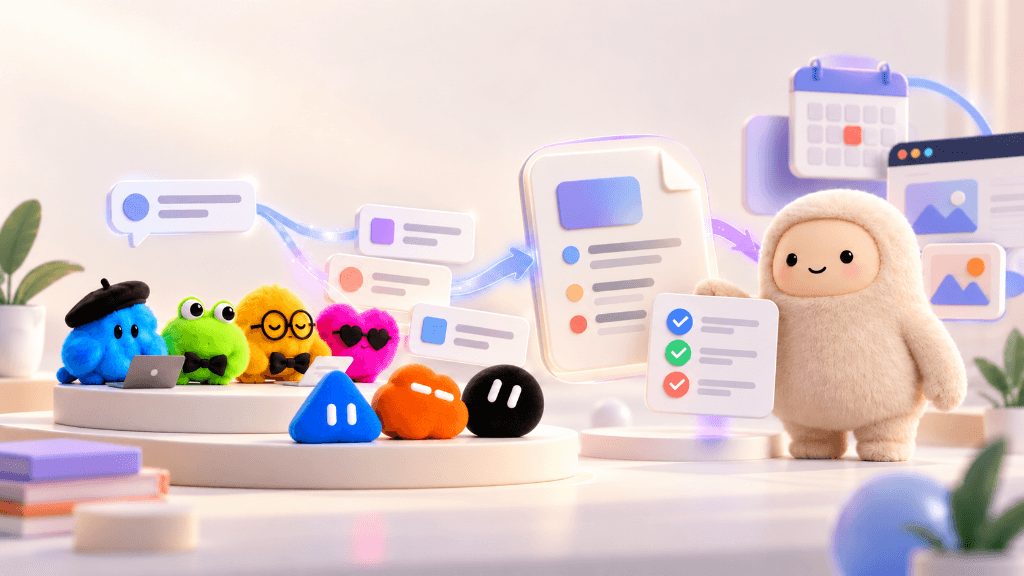
Artificial intelligence is changing the way we use software. Until recently, most people used AI by asking a question, getting an answer, and moving on to the next task. Today, a new type of AI tool is emerging: instead of waiting for every instruction, it can keep track of goals, work across connected applications, and handle complex tasks in the background.
OpenAI Dots, Meta Muse, and xAI’s Grok Bots are prominent examples of this new approach. They are designed to do far more than answer isolated questions. They can work towards a goal, utilize connected tools, and continuously handle multi-step workflows while the user focuses on higher-value work.
So, what makes these always-on AI agents fundamentally different from the AI assistants people already use? Let's examine how they work, where they are most useful, and what businesses should know before adopting them.
What Are Traditional AI Assistants?
Traditional AI assistants are conversational tools that help people find information, generate content, solve problems, and make decisions.
You can ask them to write an email, explain a technical issue, summarise a document, or suggest ways to improve your business operations. They respond to your request and can help you refine the result through further conversation.
For example, a restaurant owner could ask an AI assistant to analyse last month's sales figures. The assistant might identify the best-selling dishes, explain shifts in revenue, and suggest practical ways to reduce kitchen food waste. The owner would then review the suggestions and manually decide what action to take.
Many familiar AI products, including ChatGPT, Claude, and Gemini, are primarily used this way. Some also offer tool integrations and plugins that can carry out more complex requests, so traditional assistants are not strictly limited to answering questions. However, the interaction remains fundamentally turn-based and user-initiated.
Where Traditional AI Assistants Are Useful
- Writing emails, reports, proposals, and marketing content.
- Explaining technical problems and helping developers with coding and debugging.
- Summarising lengthy documents and analysing raw information.
- Answering ad-hoc questions and generating creative ideas.
- Supporting decision-makers with comparative business insights.
For many everyday tasks, this direct, conversational approach is still very effective. There is no need for an autonomous AI agent to handle every single request.
What Are Always-On AI Agents?
Always-on AI agents are designed to work towards a goal over time, rather than simply responding to individual, ad-hoc requests.
A user can describe what needs to be achieved, grant the agent access to the necessary software tools, and define clear permissions. The agent can then plan the work, perform several sequential steps, check its own progress, and return only when it needs additional information or human approval.
Depending on the platform, an agent may also remember organizational preferences across sessions and continue working in the background even after the user closes the application or logs off.
For example, imagine a business owner who wants a weekly sales and performance report delivered every Monday morning:
- With a traditional assistant: The owner must manually export data each week, upload it to the AI prompt, ask for analysis, and distribute the findings themselves.
- With an always-on AI agent: The owner configures the workflow once. Every Monday, the agent automatically retrieves permitted sales data from the management system, compares it with previous weeks, drafts the executive summary, and notifies the team when it is ready.
The agent handles the repeated steps autonomously, while the owner reviews the findings and decides what strategic action to take. This is the core premise of always-on AI agents: they can take responsibility for completing a task, not just helping you think about it.
Where Always-On AI Agents Are Useful
- Preparing recurring reports, financial reconciliations, and tracking KPI changes over time.
- Handling cross-application tasks across connected business tools (CRM, ERP, ticketing, and email).
- Organising projects, updating roadmaps, and following up on outstanding action items.
- Gathering market intelligence and preparing autonomous research summaries.
- Managing defined multi-step operational workflows that previously required manual coordination.
Their real-world usefulness depends on their reasoning capabilities, the specific applications they can access, and the security boundaries they operate within.
How Do Always-On AI Agents Differ from Traditional AI Assistants?
The primary differences between traditional assistants and always-on agents lie in how the work starts, how long execution continues, and how much autonomous responsibility the AI system assumes.
| Feature | Traditional AI Assistant | Always-On AI Agent |
|---|---|---|
| Starting a task | Usually responds to a direct question or prompt | Can work towards an agreed goal, event trigger, or recurring schedule |
| Work process | Often helps with one request at a time | Can manage and execute multiple sequential steps within a task |
| Background work | Limited; execution ends after returning the answer | Designed to continue suitable tasks in the background across cloud environments |
| Memory & context | May use conversation history or basic user preferences | Maintains deep persistent context, project states, and feedback over time |
| Application access | Answers questions or calls standalone tools on demand | Often integrates deeply with connected enterprise software to take actions |
| Human involvement | The user commonly guides each intermediate stage | Operates autonomously; less frequent guidance needed (only for checkpoints/approvals) |
| Best suited for | Questions, writing drafts, analysis, and quick on-demand assistance | Ongoing work, complex multi-step execution, and background workflow management |
These are general differences rather than rigid boundaries. Modern AI assistants are rapidly acquiring memory, web tools, and background processing capabilities. The defining distinction is how the system handles ongoing work and how much execution independence it is architected to provide.
OpenAI Dots: An Example of an Always-On AI Agent
OpenAI introduced Dots on September 29, 2026, describing them as intelligent agents engineered to work continuously towards users' goals.
According to OpenAI, Dots are equipped with their own dedicated cloud computer, can learn dynamically from user feedback, and can connect to more than 4,000 applications through an expansive plugin and integration ecosystem.
Examples of What Dots Are Designed to Handle:
- Software Development: Review user feedback and issue trackers, prepare bug fixes, run automated tests, and submit pull requests for developer review.
- Content Operations: Convert raw interview transcripts into formatted show notes, newsletter summaries, and social media drafts.
- Business Operations: Prepare recurring invoices, draft documents, and follow up on pending administrative tasks that might otherwise be forgotten.
- Project Management: Track changing client requirements and update related project boards, task lists, and specifications.
Users communicate with Dots through supported interfaces, monitor their real-time progress, and set governance rules dictating when human approval is strictly required.
For instance, a Dot might prepare an invoice after detecting that a milestone payment request was missed. Whether the agent can dispatch the invoice directly or must wait for human confirmation depends on the permission guardrails set by the business.
Meta Muse: A Personal AI Agent That Can Take Action
Meta introduced Muse on September 8, 2026, as a personal AI agent created to help users manage both everyday tasks and long-term goals.
Meta says Muse operates inside a dedicated cloud-based virtual machine with its own built-in browser. This setup enables Muse to work across connected web applications, retain relevant user context, and continue executing tasks in the background.
Consider a simple example: planning a dinner with friends.
- A conventional assistant could suggest recipes or write a grocery list when asked.
- Muse is designed to go further: based on available information and permissions, it could remember dietary preferences, organize an itinerary, interact with connected booking platforms, coordinate schedules, and request approval before finalizing sensitive commitments.
Other use cases described by Meta include booking travel itineraries, filling out complex forms, and navigating customer-service inquiries. Users retain control over which applications Muse can access, manage permissions, and audit past activity. Crucial actions, such as sending emails or completing monetary transactions, require explicit user confirmation.
xAI Grok Bot: Always-On AI Teammates on Cloud Machines
xAI introduced Grok Bot on August 11, 2026, positioning it as an autonomous agent platform designed to transition AI from a passive question-and-answer tool into an active, persistent digital teammate.
Rather than running inside an active browser session that shuts down when you close your laptop, each user's fleet of Grok Bots operates within a secure, persistent cloud computer equipped with its own virtual desktop, web browser, terminal, and filesystem. This architecture allows Grok Bots to execute complex, multi-step tasks across hours or days in the background.
Key Capabilities of Grok Bots:
- Direct Interface Interaction: Unlike agents that rely strictly on pre-built API integrations, Grok Bots can sign into standard websites, inboxes, and web portals directly—allowing them to navigate destination tools even if the software lacks dedicated APIs.
- "Teach a Task" & Custom Routines: Users can train a bot by demonstrating a multi-step workflow once. The bot records the process, saves it as a reusable routine, and executes it autonomously on demand or on a recurring schedule.
- Multi-Bot Team Collaboration: Users can deploy multiple specialized bots simultaneously on the same cloud environment (such as a research bot, a market intelligence tracker, and an administrative assistant) that communicate in shared threads and hand off subtasks to one another.
- Software Engineering (Grok Build): A terminal-native coding agent designed for multi-file development, repository-wide debugging, automated testing, and MCP (Model Context Protocol) server integration.
- Compounding Context & Memory: Bots retain organizational preferences, past corrections, and working context across days and weeks, eliminating the need to re-explain guidelines on each run.
Governance follows a similar human-in-the-loop philosophy to Dots and Muse: while Grok Bots run autonomously in the background, they pause and trigger alerts whenever high-stakes actions, two-factor authentication (2FA) inputs, or final review checkpoints are reached.
Why Are Always-On AI Agents Becoming Important?
The accelerating interest in AI agents stems from a practical reality: many modern jobs involve far more than generating a single text answer.
A typical business task often requires checking multiple applications, collecting data, updating records, creating a document, and notifying the right stakeholders. Performing all these steps manually takes hours, especially when the same workflow repeats every week. Always-on AI agents aim to eliminate this friction.
1. Less Repetitive Work
An agent can handle suitable recurring tasks, such as compiling management reports or cross-checking inventory discrepancies, without requiring a team member to reissue the same prompts repeatedly.
2. Seamless Cross-Application Workflows
When connected to enterprise tools, an agent can collect data from one application and utilize it in another. This significantly reduces the need to constantly switch between software systems and copy data manually.
3. Proactive Follow-Up Without Constant Reminders
Agents can continue tracking a task and alert the user when status changes, when additional input is needed, or when an executive sign-off is required.
4. More Personalised and Consistent Assistance
Equipped with persistent memory, an agent leverages historical context, company guidelines, and past preferences to make its work progressively more accurate and tailored over time.
These benefits are not automatic. They depend heavily on reliable integrations, granular permission models, and diligent human oversight.
What Should Businesses Consider Before Using AI Agents?
An agent that can take actions across software environments requires far more careful governance than a tool that simply generates text.
- Security and Access Control: Grant the agent access strictly to the information and tools it needs to fulfill its role. Never assign broad, unnecessary administrative privileges.
- Accuracy and Validation: Agents can make mistakes, misunderstand ambiguous instructions, or select incorrect actions. Crucial outputs must be verifiable and monitored.
- Approval Rules for Sensitive Actions: Sending external communications, initiating purchases, modifying production records, or processing payments should always enforce strict human-in-the-loop approvals.
- System Integration: The agent must integrate reliably with existing company infrastructure. Some legacy software platforms may not support necessary API endpoints.
- Cost Management: Account for subscription fees, usage-based compute/token limits, integration development, and ongoing maintenance.
- Privacy and Compliance: Verify how AI vendors handle stored business records, connected credentials, and conversation telemetry before deploying tools on confidential enterprise data.
For these reasons, organizations should begin with clearly defined, low-risk tasks that are simple to monitor. More sensitive operational workflows should only be automated once robust safeguards and auditing mechanisms are proven.
Which Approach Should You Choose?
The right choice depends on the specific nature of the work you need to accomplish:
- A traditional assistant is ideal when you need rapid answers, initial drafts, code debugging, or on-demand data analysis.
- An always-on agent becomes advantageous when the objective entails multiple steps, spans disconnected software platforms, or requires ongoing monitoring and follow-up.
For example, a manager seeking to understand why sales dipped last month can prompt an assistant to analyze a spreadsheet. If the manager needs sales data harvested every week across retail branches, reconciled against inventory, and converted into an executive briefing, an agent-based workflow delivers far greater value.
Businesses do not have to pick one over the other. Forward-thinking companies utilize conversational AI for day-to-day inquiries while implementing autonomous agents for selected, structured workflows.
The most pragmatic place to begin is with a task that consumes substantial manual time, adheres to a clear sequence of steps, and produces an outcome that can be verified quickly.
Conclusion: The Path Ahead for AI in Business
Conversational AI assistants have cemented their role as essential tools for drafting, research, coding, and problem-solving. Always-on AI agents represent the next major frontier by taking proactive responsibility for executing ongoing tasks.
Breakthroughs such as OpenAI Dots, Meta Muse, and xAI Grok Bots highlight how AI is transitioning towards autonomous systems that maintain persistent context, navigate connected software ecosystems, and continue completing objectives after the initial instruction.
For businesses, the central strategic question is straightforward: Do you need AI to help you think through a task, or do you need a system that can reliably handle the steps to complete it? Recognizing this distinction is key to choosing the right technology.
At Infonode Technologies, we help businesses explore practical software solutions, from custom applications and restaurant POS systems. As AI capabilities develop, the opportunity is to integrate them where they can reduce repetitive work, improve access to information and support better business decisions.