
Restaurant POS Software: What Modern Restaurants Actually Need
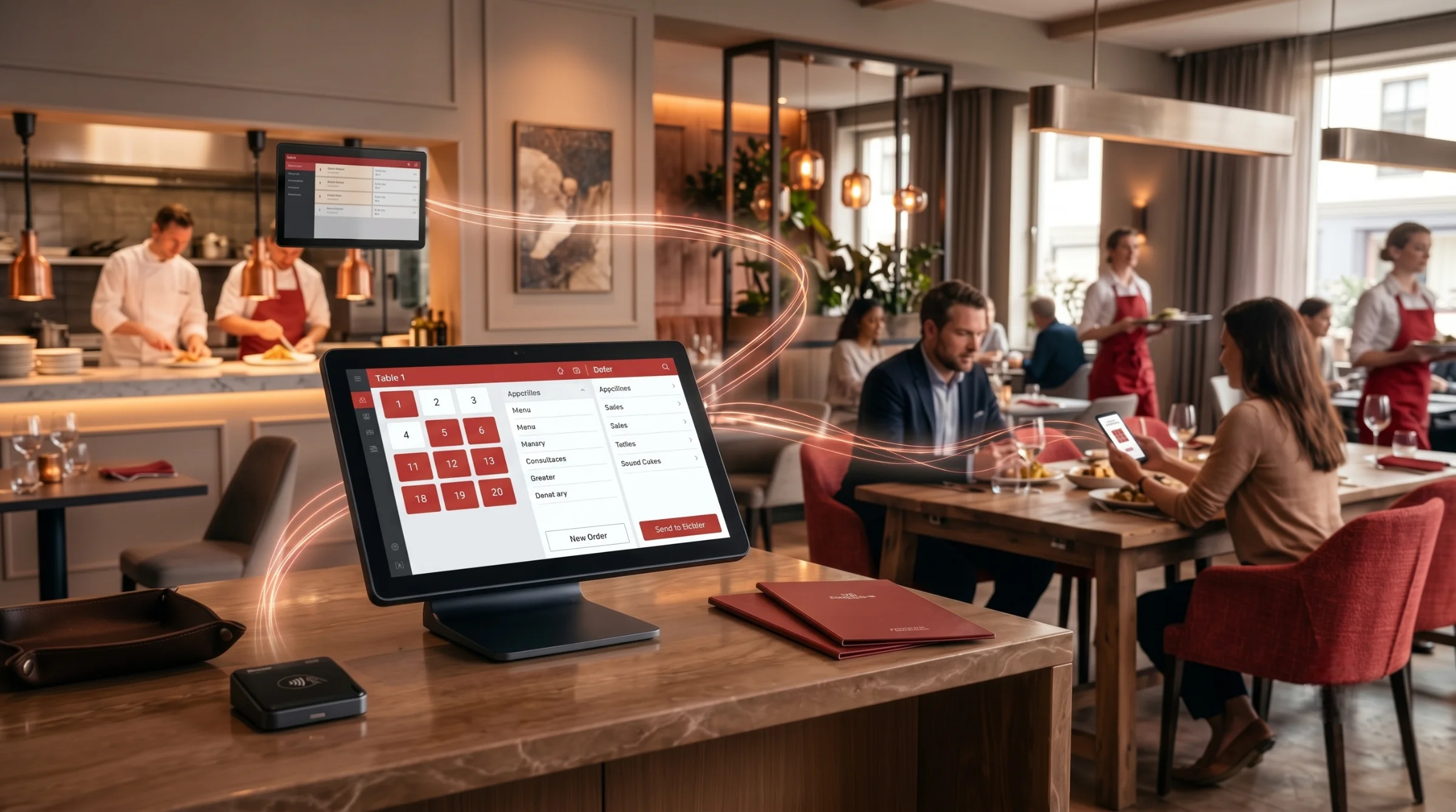
Running a restaurant is about much more than taking orders and collecting payments.
A busy day can involve hundreds of orders, changing inventory levels, staff shifts, kitchen coordination, online orders, delivery requests, discounts, refunds and customer questions. When each part is handled through a different system, even simple tasks can become time-consuming.
This is why restaurant POS software has evolved so much.
A POS is still used to take orders and process bills, but it now plays a much bigger role in daily operations. Alongside the POS, a web-based management portal can give owners and managers a clear view of sales, inventory, staff, customers, reports and other business activities from one place.
When these two sides work together, information does not have to be entered repeatedly or collected manually at the end of the day.
A POS Should Work Beyond the Billing Counter
Think about what happens when a customer places an order.
The order needs to reach the kitchen. The correct items need to be prepared. Inventory needs to reflect what was used. Payment needs to be recorded. Later, the manager may want to see how that order affected sales or product performance.
With a connected restaurant system, the same information can move through each stage automatically.
That makes the POS useful not only for cashiers and waiters, but also for kitchen teams, supervisors and business owners.
Whether the restaurant operates in the UAE, Saudi Arabia, Zambia, Kerala or another growing food market, the need is similar: everyone should be working with the same information.
Cloud or On-Premise?
The way a POS is deployed is worth considering before looking at individual features.
A cloud POS stores business data online and allows authorised users to access the system remotely. Updates are easier to manage, and multiple branches can usually be monitored from a central management portal. This can be especially useful for growing restaurants and multi-location businesses.
An on-premise POS runs on local infrastructure and gives the restaurant more direct control over its setup. Depending on its configuration, it can also continue operating without an internet connection.
For many restaurants, a cloud-based system with reliable offline support offers a practical balance between remote access and day-to-day reliability.
Ordering Is No Longer Limited to One Channel
Customers can order in several ways now.
They may speak to a waiter, scan a QR code, place an order through the restaurant's website, call directly, use a kiosk or order through a delivery channel.
The challenge for the restaurant is keeping all of those orders organised.
A good POS should bring them into the same workflow so staff do not have to switch between different systems just to see what needs to be prepared.
This shift is especially noticeable in fast-growing restaurant markets such as the UAE, Saudi Arabia, and Zambia, where dine-in, takeaway, direct ordering and delivery increasingly form part of the same operation.
The system should also keep menu items, prices and availability consistent across every channel.
For the customer, it feels like one restaurant.
The software should work that way too.
The Kitchen Needs the Same Information
Once an order is placed, the kitchen becomes the next important part of the process.
A Kitchen Display System can send orders directly from the POS to the appropriate preparation area. Instead of managing stacks of printed tickets, kitchen staff can see active orders, item details and preparation status on screen.
For restaurants handling dine-in, takeaway and delivery at the same time, this can make a noticeable difference.
Orders can be routed to the right station, completed in the correct sequence and tracked more easily.
The result is not just a cleaner kitchen. It also gives managers better visibility into preparation times and order flow.
Inventory Should Follow Sales
Inventory is often where restaurant margins disappear.
Buying too much leads to waste. Buying too little creates shortages. Manual stock tracking makes it harder to see exactly what is happening.
A connected POS can link sales with recipes and ingredients. When an item is sold, the system can use that information to track consumption and update stock.
Over time, this gives the restaurant a clearer picture of food costs, stock movement, waste and purchasing needs.
It also creates useful data for forecasting.
Rather than waiting until an ingredient is nearly finished, managers can use sales patterns and stock information to plan ahead.
For restaurants in markets such as Kannur, Kozhikode, and Kochi in Kerala, where cost control can be especially important for growing businesses, this kind of visibility can make day-to-day management much easier.
Payments Need to Be Part of the Same Process
Customers expect convenient payment options, from cards and contactless payments to mobile wallets and QR-based payments.
But adding payment methods is only part of the job.
A payment should remain tied to the correct order and transaction record. It should also appear correctly in reports so that reconciliation does not become another manual task.
When payment processing and POS operations are connected, checkout becomes easier for both the customer and the restaurant team.
The right payment mix can vary by market, but the underlying requirement is the same: payments should remain connected to the restaurant's core operations.
AI Can Be Useful When It Solves a Real Problem
AI is receiving a lot of attention in restaurant technology, but its value comes down to what it actually helps a business do.
A restaurant already has a large amount of information: sales, products, customers, stock, staff and order history.
The difficult part is making sense of it.
AI-powered tools can help identify unusual sales patterns, highlight products that are performing well or poorly, flag inventory concerns and turn large amounts of data into simpler recommendations.
Instead of asking a manager to study several reports, the system can point them toward something that deserves attention.
That is a much more useful role for AI than simply adding a chatbot because it is fashionable.
Reports Are More Useful When They Lead to Action
Restaurant owners do not usually need more spreadsheets.
They need answers.
- How much did each branch sell?
- Which items are moving fastest?
- What are today's payment totals?
- How is inventory changing?
- Which staff shifts are busiest?
- Are discounts or voids unusually high?
A management portal can bring these details together in one dashboard and make them available without waiting for the end of the day.
Real-time alerts can make this even more useful by drawing attention to unusual activity, low stock or other issues that may need action.
Customer Information Can Improve Loyalty
Every order contains useful customer information.
Purchase history can show what people prefer, how often they return and how much they typically spend.
When that information is available through the management system, restaurants can use it for loyalty programs and more relevant promotions.
Instead of giving every customer the same offer, businesses can build campaigns around actual buying behaviour.
That can make loyalty programs more useful to the customer and more valuable to the restaurant.
Staff Management Belongs in the Same Platform
Sales and inventory are only part of restaurant management.
Staff schedules, attendance, shifts and performance all affect the operation.
When staff information is connected with sales activity, managers can get a better sense of whether staffing matches demand and where changes may be needed.
Having these tools in the same management portal also reduces the need to maintain separate systems for everyday administration.
Multi-Location Management Gets Easier
Managing one restaurant is very different from managing several.
As a business grows, owners need to compare locations, monitor sales, manage menus and review inventory without visiting every branch.
A central management portal can provide that visibility while each location continues using its own POS for daily operations.
Whether a business has branches across cities in the UAE, Saudi Arabia, Zambia or across Kerala, centralized management makes it easier to understand the bigger picture while keeping branch-level operations under control.
What Should You Look for in Restaurant POS Software?
The right features depend on the type and size of the restaurant, but some capabilities have become increasingly important.
Fast order entry and table management are the basics. Beyond that, restaurants should consider inventory tracking, kitchen display integration, multiple payment methods, digital ordering, customer management, staff tools, detailed reporting and support for multiple locations.
Offline operation is important too.
So are integrations. A POS that can connect with accounting, payments, delivery services and other business systems is much easier to build around as the restaurant grows.
Ease of use should not be overlooked either. A system can have every feature imaginable, but if staff need extensive training to use it, it can create more problems than it solves.
Security, user permissions and reliable data handling are equally important, especially as more parts of the business become digital.
The POS and Management Portal Should Work as One
This is one of the most important ideas behind restaurant software today.
The POS handles the day-to-day work at the restaurant: orders, tables, bills, payments and operational activity.
The management portal takes that information and turns it into something managers can use: dashboards, reports, inventory information, staff details, customer data, branch performance and business controls.
These should not feel like separate products.
A sale made at the POS should become useful information in the management portal without someone having to enter it again.
That connection is what makes the system more valuable than a standalone billing application.
What Restaurant POS Software Is Really Becoming
The best restaurant technology is not necessarily the system with the longest feature list.
It is the one that removes unnecessary work.
A waiter should not have to worry about whether an order reached the kitchen.
A manager should not need to combine reports from different systems.
An owner should be able to see what is happening without being at the restaurant.
Inventory should reflect sales. Payments should match orders. Online orders should enter the same workflow. Important changes should be visible when they happen.
That is where restaurant POS software is heading.
The POS remains the place where transactions happen, but it is becoming part of something much bigger: a connected restaurant management platform that brings day-to-day operations and business management into the same system.
From restaurants in Dubai, Riyadh, and Lusaka to businesses across Zambia, Kerala and other growing food markets, the need is increasingly the same: a reliable platform that connects restaurant operations with management from one place.
For restaurants looking to grow, that connection may matter more than any individual feature.
Learn more about Infonode Restaurant POS Software & Solutions →